
antplus-recorder
Compare and validate power meters
antplus-recorder shows and records every ANT+ sensor in range side by side in the terminal. It is built to compare power meters against each other, for example a smart trainer against crank or pedal power meters. One power meter is the reference, and every other one shows how far it is off, in watts and percent.
Example
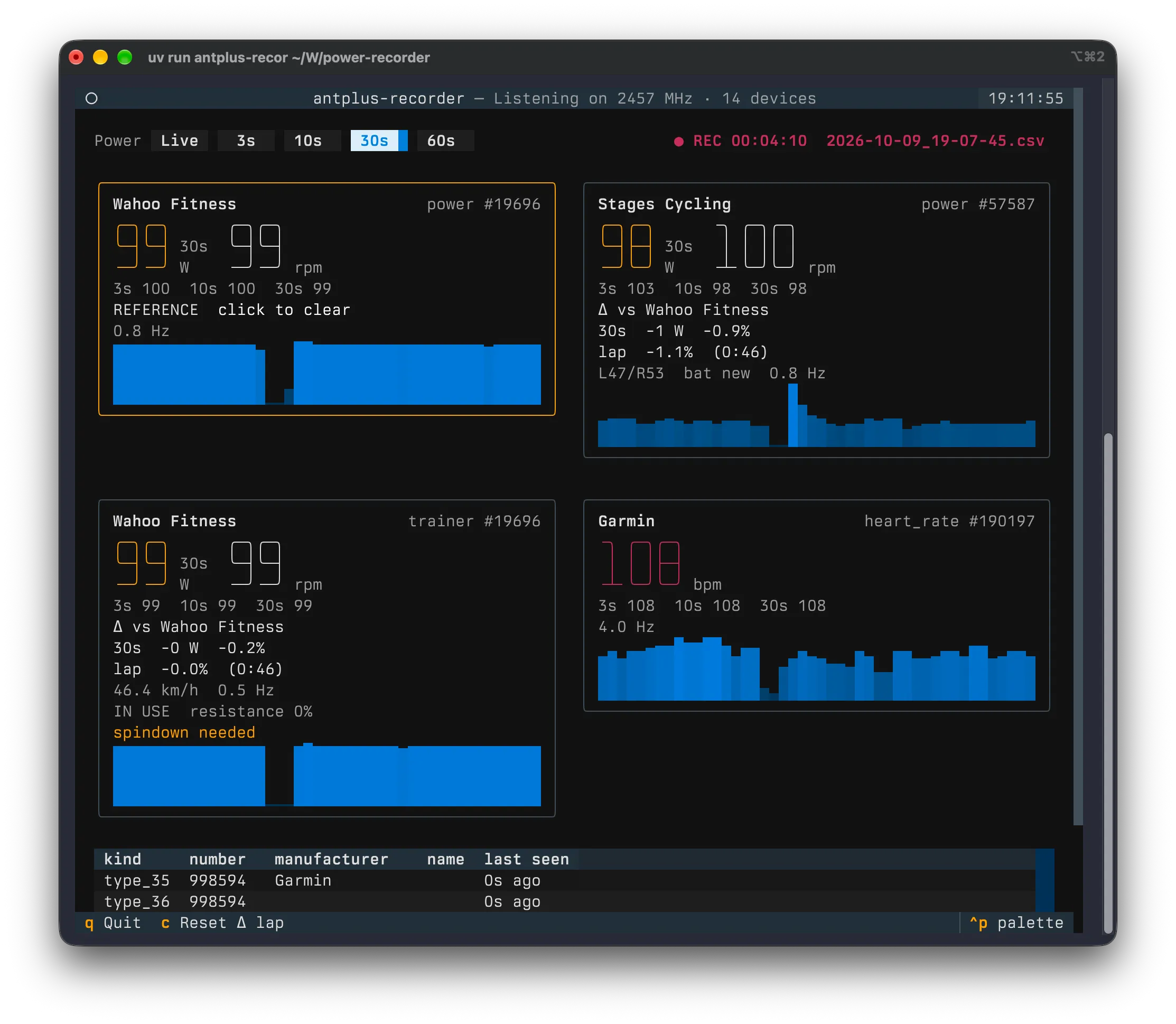
The Wahoo trainer is the reference. The Stages crank reads 0.9% lower over the 30 second average.
Installation
An ANT+ USB stick (ANT USB2 or ANT USB-m) is required. Python is not needed up front, uv fetches the right one by itself, and libusb comes along as a dependency. There is no pairing. The stick listens to the whole ANT+ frequency and every sensor that sends shows up on its own.
On a Mac, step by step
- Plug in the ANT+ stick and allow the accessory to connect when macOS asks.
- Open the Terminal app: press ⌘ Space, type Terminal and press Enter.
- Paste this line and press Enter. It installs uv and only has to be done once:
curl -LsSf https://astral.sh/uv/install.sh | sh - Close the Terminal window, open a new one, paste this and press Enter:
uvx antplus-recorder@latest
From then on, the last step is all it takes. The @latest makes it check for a new version every time and update itself. Recordings are saved in the folder the Terminal is in, which is your home folder unless you changed it.
Linux
The stick needs read/write access for your user. Untested, but this udev rule in /etc/udev/rules.d/42-ant-usb-sticks.rules should do it, followed by sudo udevadm control --reload-rules and replugging the stick:
SUBSYSTEM=="usb", ATTRS{idVendor}=="0fcf", ATTRS{idProduct}=="1008", MODE="0666"
SUBSYSTEM=="usb", ATTRS{idVendor}=="0fcf", ATTRS{idProduct}=="1009", MODE="0666"
Features
Every Sensor in Range
Power meters, smart trainers and heart rate straps appear on their own with power, cadence, L/R balance, battery and a two minute trend line.
Reference Comparison
Click the power meter you trust. Every other one shows its difference in watts and percent, over a rolling window and per lap.
Laps and Notes
Start a new lap at every power level and add notes such as spindown or zero offset. Coasting seconds are left out of the lap comparison.
CSV, FIT and Raw Log
Every ride is written to a CSV, one FIT file per power meter and a raw log of every ANT+ message that can be replayed with later versions.