
Siteprobe
Validate sitemaps and analyze website performance
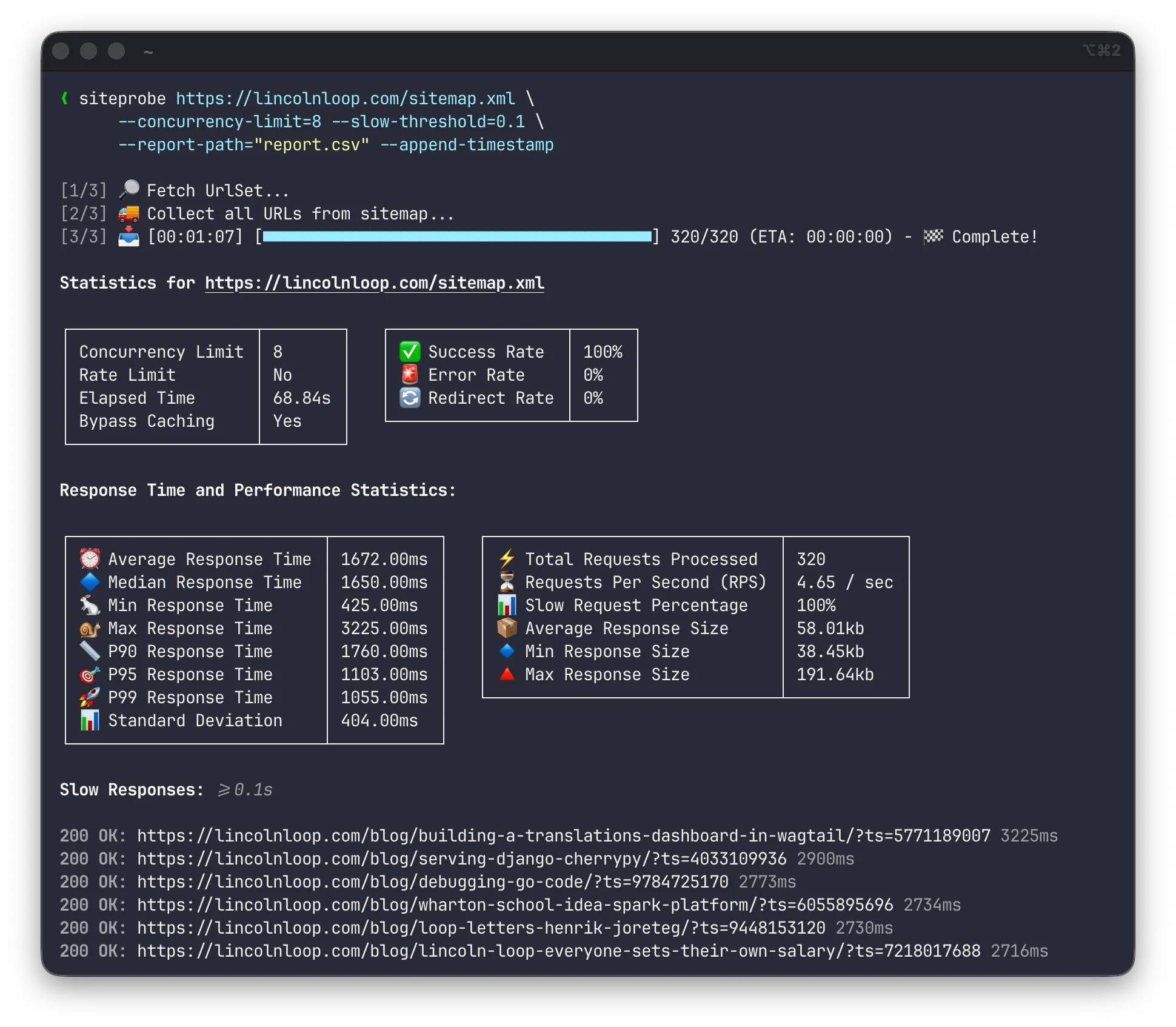
Siteprobe is a Rust-based CLI tool that fetches all URLs from a given sitemap.xml url, checks their existence, and generates a performance report. It supports various features such as authentication, concurrency control, caching bypass, and more.
Example
Installation
$ cargo install siteprobe
    Updating crates.io index
  Installing siteprobe v1.2.0
   Compiling siteprobe v1.2.0
    Finished `release` profile [optimized] target(s) in 12.60s
  Installing /Users/martin/.local/share/mise/installs/rust/1.92.0/bin/siteprobe
   Installed package `siteprobe v1.2.0` (executable `siteprobe`
Usage
$ siteprobe --help
Usage: siteprobe [OPTIONS] <SITEMAP_URL>

Arguments:
  <SITEMAP_URL>  The URL of the sitemap to be fetched and processed.

Options:
      --basic-auth <BASIC_AUTH>
          Basic authentication credentials in the format `username:password`
  -c, --concurrency-limit <CONCURRENCY_LIMIT>
          Maximum number of concurrent requests allowed [default: 4]
  -l, --rate-limit <RATE_LIMIT>
          The rate limit for all requests in the format 'requests/time[unit]',
          where unit can be seconds (`s`), minutes (`m`), or hours (`h`). E.g.
          '-l 300/5m' for 300 requests per 5 minutes, or '-l 100/1h' for 100
          requests per hour.
  -o, --output-dir <OUTPUT_DIR>
          Directory where all downloaded documents will be saved
  -a, --append-timestamp
          Append a random timestamp to each URL to bypass caching mechanisms
  -r, --report-path <REPORT_PATH>
          File path for storing the generated `report.csv`
  -j, --report-path-json <REPORT_PATH_JSON>
          File path for storing the generated `report.json`
  -t, --request-timeout <REQUEST_TIMEOUT>
          Default timeout (in seconds) for each request [default: 10]
      --user-agent <USER_AGENT>
          Custom User-Agent header to be used in requests [default: "Mozilla/5.0
          (compatible; Siteprobe/1.2.0)"]
      --slow-num <SLOW_NUM>
          Limit the number of slow documents displayed in the report. [default:
          100]
  -s, --slow-threshold <SLOW_THRESHOLD>
          Show slow responses. The value is the threshold (in seconds) for
          considering a document as 'slow'. E.g. '-s 3' for 3 seconds or '-s
          0.05' for 50ms.
  -f, --follow-redirects
          Controls automatic redirects. When enabled, the client will follow
          HTTP redirects (up to 10 by default). Note that for security, Basic
          Authentication credentials are intentionally not forwarded during
          redirects to prevent unintended credential exposure.
  -h, --help
          Print help
  -V, --version
          Print version
Features
Blazing Fast
Built in Rust with concurrent request handling. Configure the number of parallel requests to match your needs.
Recursive Sitemaps
Automatically processes nested Sitemap Index files, following all references to check your entire site.
Rate Limiting
Built-in rate limiting to respect server resources. Configure requests per time window to avoid overwhelming your server.
Export Reports
Generate detailed reports in CSV and JSON formats. Perfect for importing into spreadsheets or automation pipelines.
Auth Support
Basic authentication support for checking protected staging sites. Custom User-Agent headers for proper identification.
Document Caching
Cache fetched documents locally for offline inspection. Bypass caches with timestamp injection for fresh results.
Perfect for...
- Validating sitemap completeness
- Finding broken links
- Identifying slow pages
- Pre-deployment verification
- SEO health checks
- CI/CD pipeline integration